




System administrators
Review workstation settings, updates, services and account privileges consistently.

SentinelBRO
One workspace for reviewing Windows security, understanding findings and planning remediation. Product announcements, release history and official downloads are now published on this page.
 SentinelBRO
Review workstation settings, updates, services and account privileges consistently.
Correlate suspicious indicators across processes, memory, network and file activity.
Prioritize findings, assign owners and follow up with a repeat assessment.
Scan results and product capabilities in the application interface. Select a screenshot to explore the details.
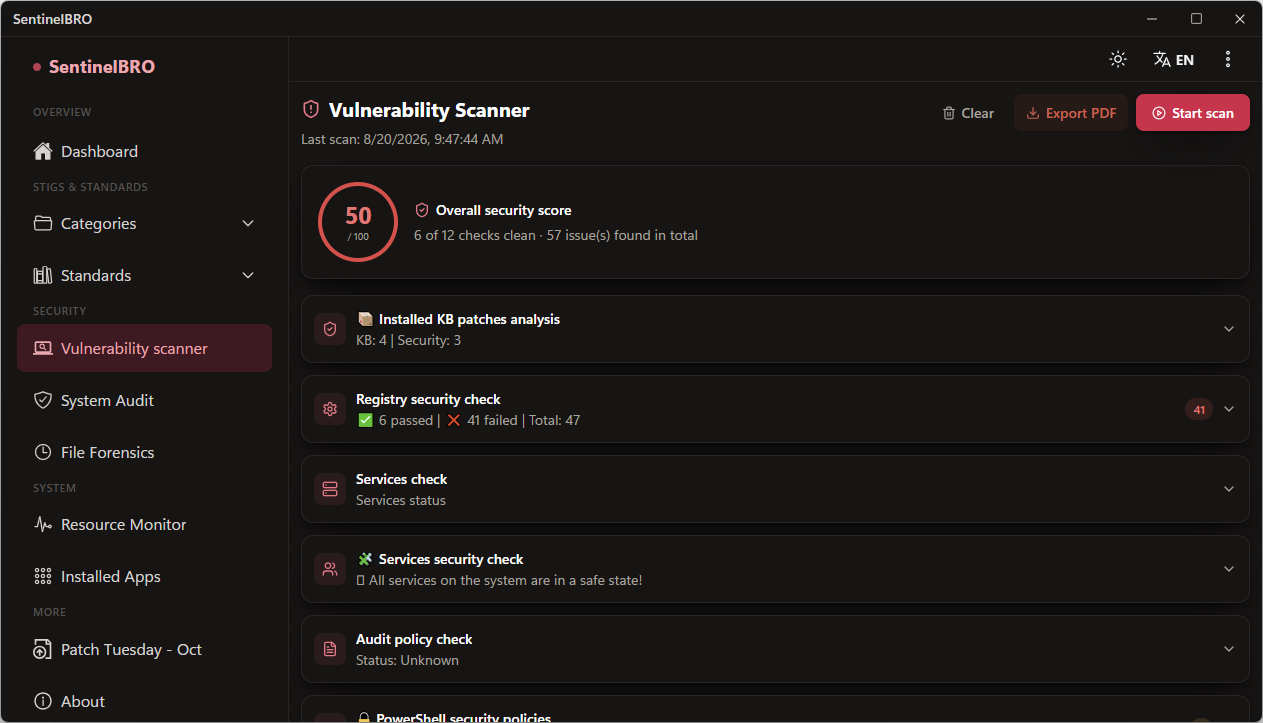
The overall security score, Windows updates, Registry, services and audit policy checks in one panel. The score and findings shown belong to this example scan.
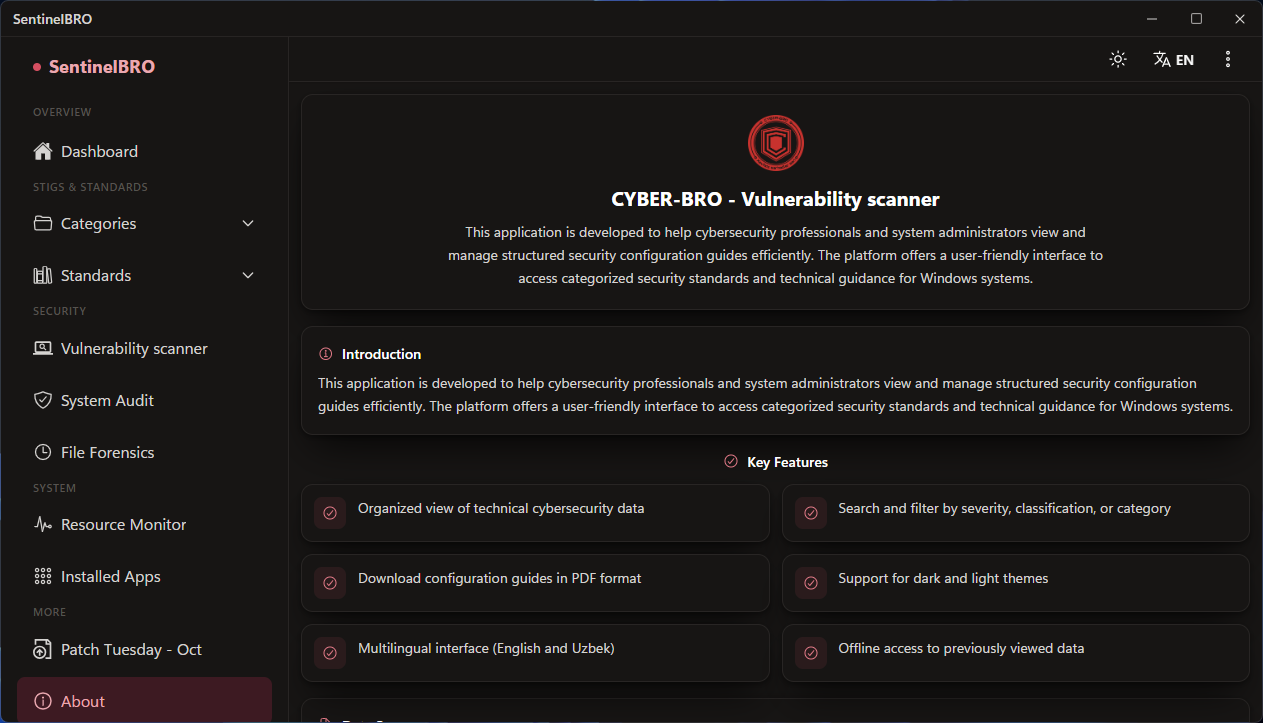
Application information, security standards and technical guidance capabilities. The sidebar provides access to auditing, file analysis, resources and installed applications.
Antivirus, Firewall, GPO, PowerShell, Registry, KB updates and Windows EOL status.
Account privileges, audit policy, security events, SIEM forwarders and critical services.
Suspicious RWX memory, sleeping-beacon heuristics and Cobalt Strike configuration indicators. Heuristic findings require validation.
ETW process traffic, RDP/SMB/WinRM sessions, ports, VPN/tunnel indicators, Wi-Fi history and ARP devices.
Scheduled Tasks, Winlogon, IFEO, AppInit/AppCert, WMI subscriptions, unsigned services and elevated processes.
Recurse Monitor, USN Journal operations, large files and risky Everyone: Full Control shares.
Application inventory/removal, BCD, restore points, BSOD/restarts, PATH and USB history controls.
LOLBAS/LOLDriver checks, device information, a final summary and step-by-step GUI remediation instructions.
The download section shows the active version, size and SHA-256. Complete CAPTCHA, download the file and compare its hash with the published value.
Define the Windows device and assessment scope. Obtain organizational authorization and prepare a backup or restore point before making changes.
Run the relevant modules. Interpret results against the device’s role; have the responsible administrator perform privileged actions.
Validate the finding, apply the guided change and repeat the assessment. Preserve required data before using application removal or history cleanup.
SENTINELBRO / CHANGELOG
Release dates and changes are collected here. Notes for new versions published through the admin panel will also appear in this list.
SentinelBRO reviews system posture and helps analyze findings. Keep your antivirus, update management and other organizational defenses in place.
No. Memory heuristics and Cobalt Strike indicators may produce false positives. Validate process ownership, file provenance and network context.
Windows. Check the active release notes for compatibility and installation details. A Windows 11-style interface does not guarantee compatibility with every Windows build.
No. This site provides the official file after CAPTCHA. The single-use link lasts 2 minutes; an interrupted transfer requires a new verification.
New versions and release notes are published here. Email the version and issue description to info@cyber-bro.uz; do not send passwords or confidential files.
WINDOWS / SENTINELBRO
The published release appears below. After CAPTCHA, you receive a one-time link valid for 2 minutes in this browser. If the transfer is interrupted, verify again.
Release history ↓