



Purpose
Show risk indicators before a user trusts a website or submits personal data. The Chrome extension helps explain a site’s technical state, domain information and potential deception indicators.


Ogohlantiraman
Our Ogohlantiraman extension makes a website’s technical indicators understandable in Chrome, helping users recognise possible risks before entering data and make an informed decision.
 Ogohlantiraman
Show risk indicators before a user trusts a website or submits personal data. The Chrome extension helps explain a site’s technical state, domain information and potential deception indicators.
Review passive analysis alongside the site passport and phishing indicators. When warned, verify the address independently and pause submission of personal data. The extension supports informed decisions; it is not a safety guarantee.
Internet users · Employees · Online customers
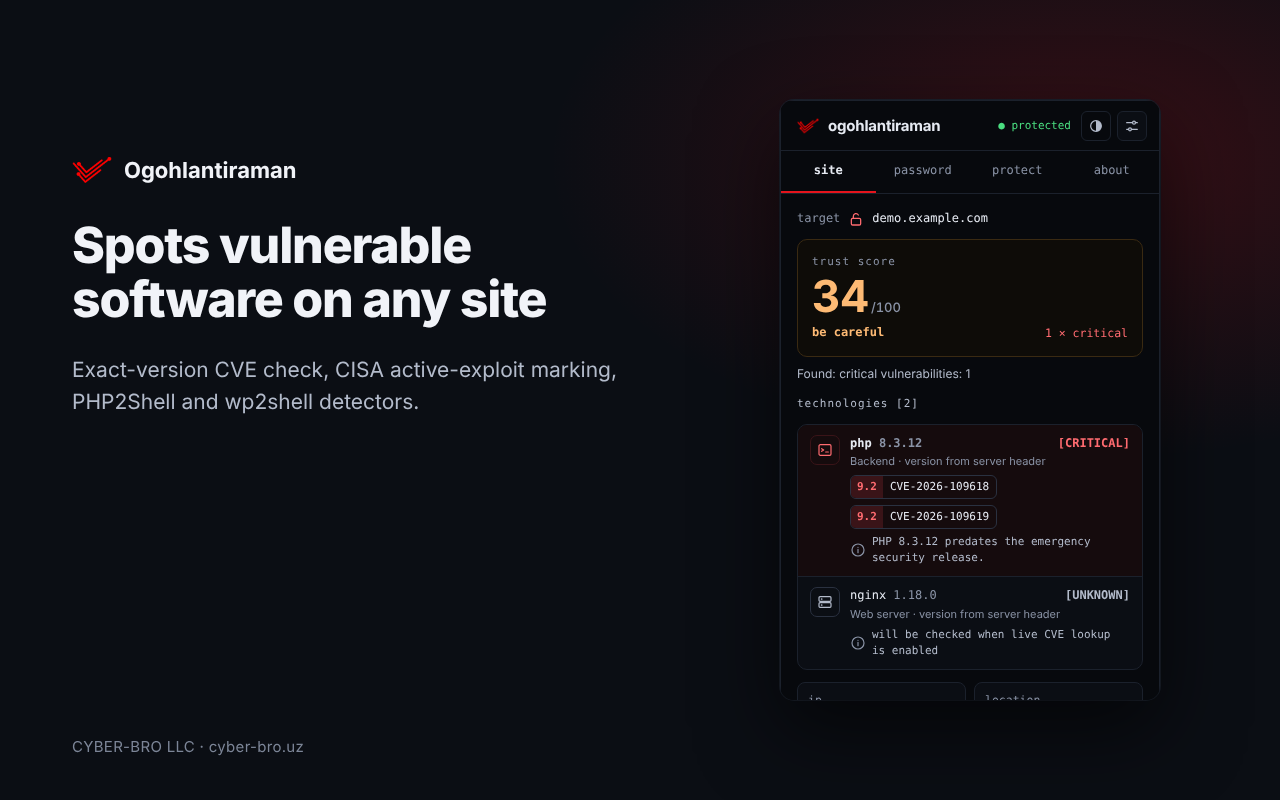
Review detected technology versions, CVE information and active-exploitation indicators. Live CVE checks require an NVD key and must be enabled in settings. Results depend on technical information exposed by the site.
Assesses HTTPS, security headers, mixed content and detectable technologies. CVE/CWE-related indicators suggest possible risks; it does not perform active exploitation tests.
Displays available RDAP details, registration date, DNS records, IP and TLS information. Completeness depends on the availability and freshness of source data.
An overall rating communicates risk indicators through color. Additional vulnerability checks are available with an NVD API key; correlate results with the detected technology and version.
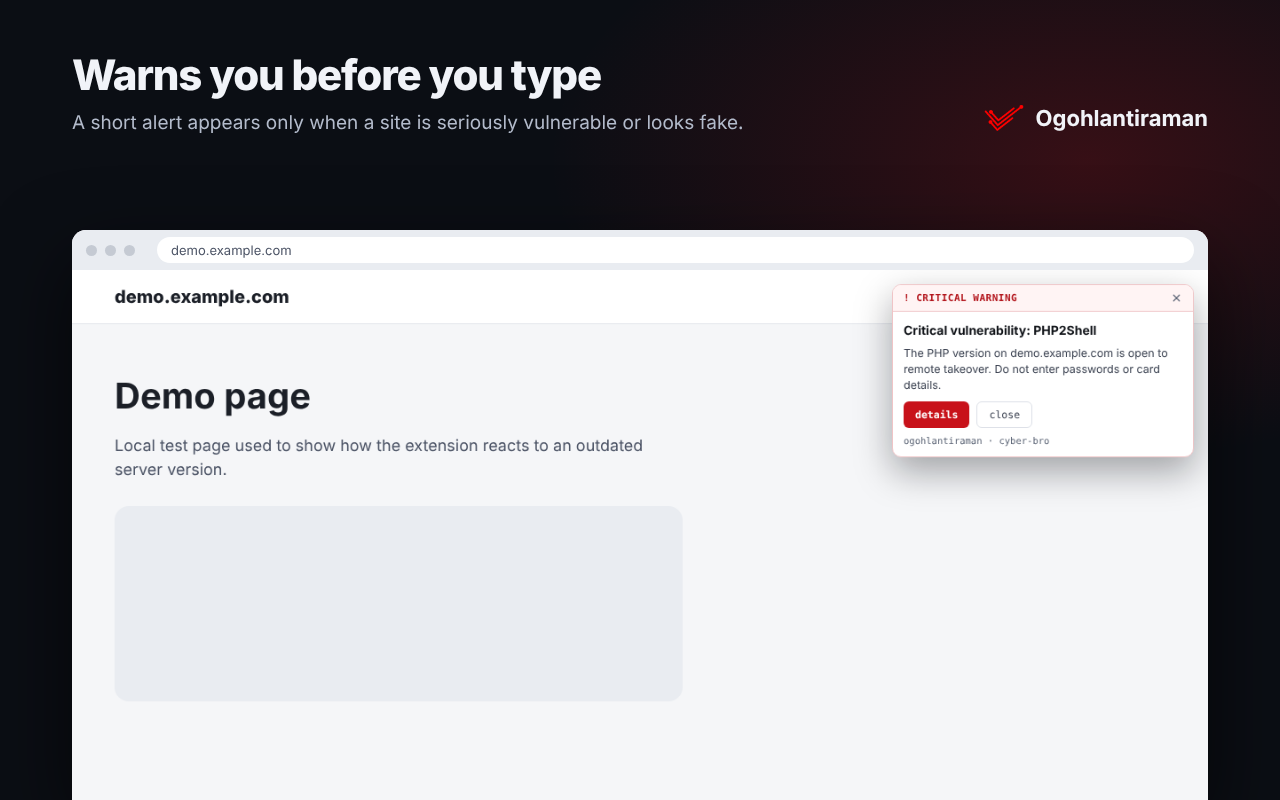
A short alert appears when serious vulnerability or fake-site indicators are detected. Open the details to review the reason. Personal-data reminders also cover passport, phone and payment-card input.
Raises awareness when entering phone, passport or card details. Password, OTP and CVV fields are not read; the user decides whether to submit information.
Assesses lookalike domains, recent registration and deceptive URL indicators. A single indicator is not a final verdict; verify the address through an official channel.
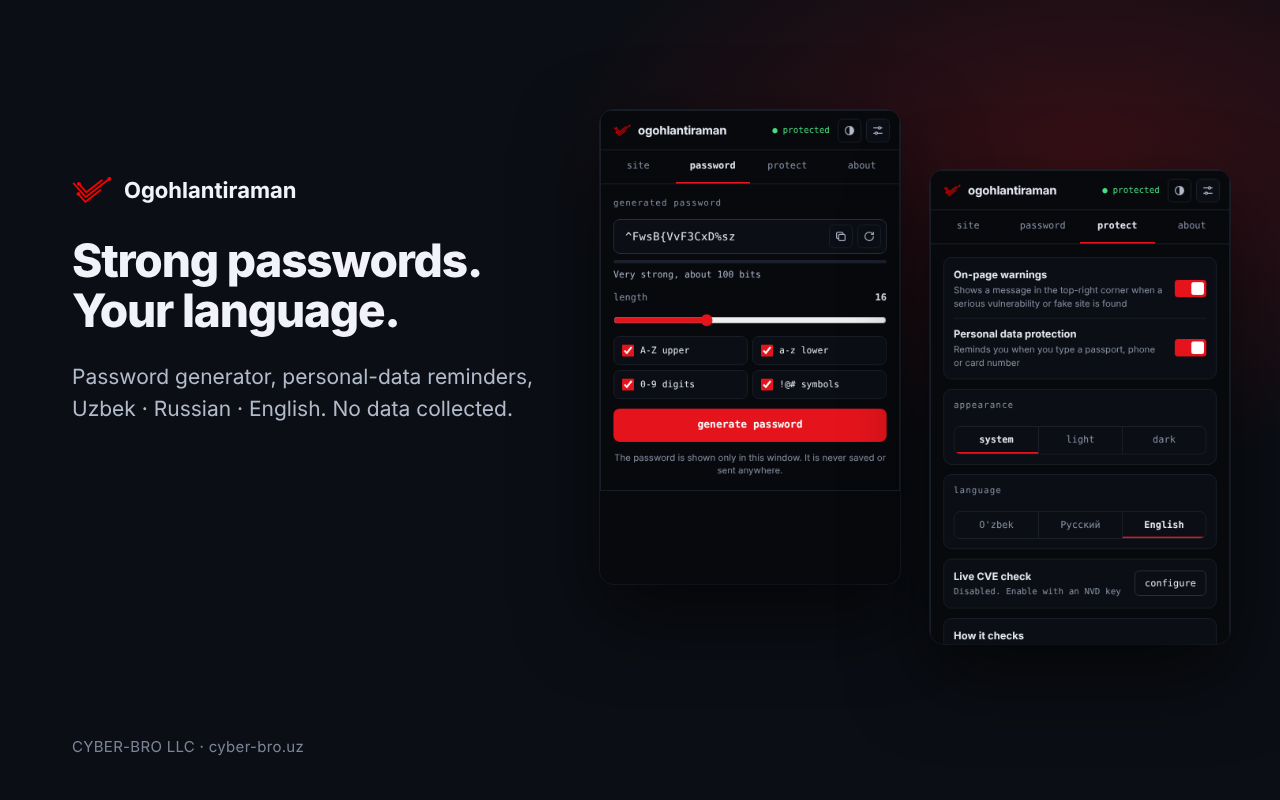
Choose password length and character groups. Select Uzbek, Russian or English, light/dark appearance, on-page warnings and personal-data reminders.
Use the 8–32-character password generator. Do not reuse the password across accounts and store it in a trusted password manager.
Install from Chrome Web Store and review the requested permissions. Configure the optional NVD check if you need it.
Read warnings and the site passport. Assess domain spelling, HTTPS and source information in light of the sensitivity of the data you plan to submit.
If a warning appears, leave the link and open the official address manually. Contact the bank or service through a previously known channel.
Get understandable information about a website’s technical state and possible deception indicators before entering data. TrustScore and technical findings are indicators of potential risk; a low-risk score does not establish that a site is completely safe.
The extension passively analyzes a site’s publicly visible technical signals. Results do not replace a full penetration test. External sources may be used for CVE and domain information; please review the privacy policy.